Typography
Typography is an essential part of visual design. It’s the art of arranging type to make written language legible, readable, and appealing when displayed.
Typography is used in a variety of contexts, from books and magazines to websites and digital products.
In this guide, we’ll cover the basics of typography, from getting started to best practices and examples.
Getting Started with Typography
Before you start designing with typography, it’s important to understand the basics. Here are some key terms to know:
- Typeface: A typeface is a set of letters, numbers, and symbols that share a common design. Examples include Helvetica, Times New Roman, and Arial.
- Font: A font is a specific variation of a typeface. For example, Helvetica Bold is a font.
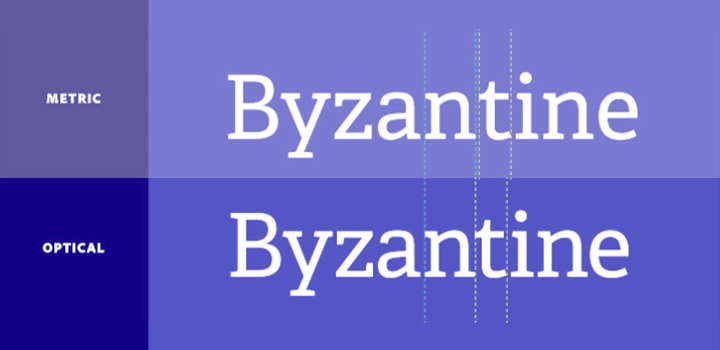
- Kerning: Kerning is the process of adjusting the space between two characters. It’s used to make text more legible and visually appealing.
- Leading: Leading is the process of adjusting the space between lines of text. It’s used to make text easier to read.
- Tracking: Tracking is the process of adjusting the space between all characters in a block of text. It’s used to make text more visually appealing.
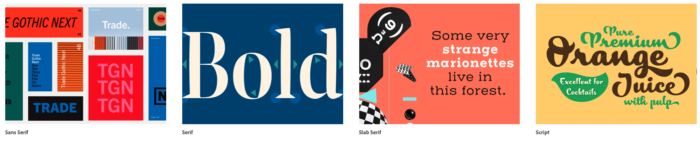
How To Use Typography
Once you understand the basics of typography, you can start using it in your designs. Here are some tips for using typography effectively:
- Choose a typeface that’s legible and easy to read. Sans-serif typefaces are often the best choice for digital designs.
- Use different fonts to create visual hierarchy and draw attention to important elements.
- Adjust the kerning, leading, and tracking to make text more legible and visually appealing.
- Use typography to create a sense of balance and harmony in your designs.
- Experiment with different typefaces and fonts to create unique and interesting designs.
Best Practices for Typography
When using typography in your designs, it’s important to follow best practices. Here are some tips for using typography effectively:
- Use a limited number of typefaces and fonts. Too many typefaces and fonts can make a design look cluttered and unprofessional.
- Make sure the typefaces and fonts you use are appropriate for the context. For example, a formal document should use a serif typeface, while a website should use a sans-serif typeface.
- Use typography to create a sense of hierarchy and draw attention to important elements. For example, use larger font sizes for headings and smaller font sizes for body text.
- Make sure the text is legible and easy to read. Adjust the kerning, leading, and tracking as needed.
- Experiment with different typefaces and fonts to create unique and interesting designs.
Get creative with fonts and typography using these tools
- Affinity Designer — The perfect app for creatives and other professionals looking to create high-quality concept art, illustrations, logos, icons, UI designs, mock-ups and more.
- Typekit.com — Typekit is a subscription-based font library that provides access to thousands of high-quality fonts for use on websites, apps, and other digital projects.
- Behance — Behance is the world’s largest creative network for showcasing and discovering creative work
- Pixlr — Discover free and premium online photo editor and animation design tools! Effects, filters, overlays, simple to expert tools.Open almost any image format like PSD (Photoshop), PXD, Jpeg, PNG (Transparent), webP, SVG and many more. You’ll find a Pixlr image editor just for you!
- Dribbble — Find Top Designers & Creative Professionals on Dribbble. We are where designers gain inspiration, feedback, community, and jobs. Your best resource to discover and connect with designers worldwide.
- Envato Elements —
- Awwwards — Awwwards are the Website Awards that recognize and promote the talent and effort of the best developers, designers and web agencies in the world.
- Web Design Ledger — Web Design Ledger is a comprehensive resource for web designers and developers, offering tutorials, articles, and inspiration to help you create amazing websites.
- Design Shack — Design Shack is a daily source of helpful resources, articles, inspiration, tips, and tutorials for the design community.
- Hierarchy in TypographyWhat is the hierarchy of type in typography and how does it affect design?Hierarchy in Typography
- Typography in MotionCreating dynamic, eye-catching text with motion: what tips and tricks should you know?Typography in Motion
- FontsWhich font is best for your project? Explore the world of typography to find the perfect font.Fonts
- KerningKerning adjusts the space between letters to create a visually pleasing and balanced look. How can you use kerning to improve your typography?Kerning
- LeadingHow to lead type for maximum readability?Leading